Delivery Exceptions
In the CloudSuite App, go to Order Management > Configuration > Delivery Schedule Configuration > Delivery Exceptions. On this screen, you configure exception days for delivery schedules. Use delivery exceptions to:
- block a delivery day
- change the cut-off time for a specific date
- change the delivery lead time (Delivery Days) for a specific date
To change the production calendar for made-to-order products, use Availability Exceptions instead.
Double-click an existing record to edit it, or click New to create a delivery exception.
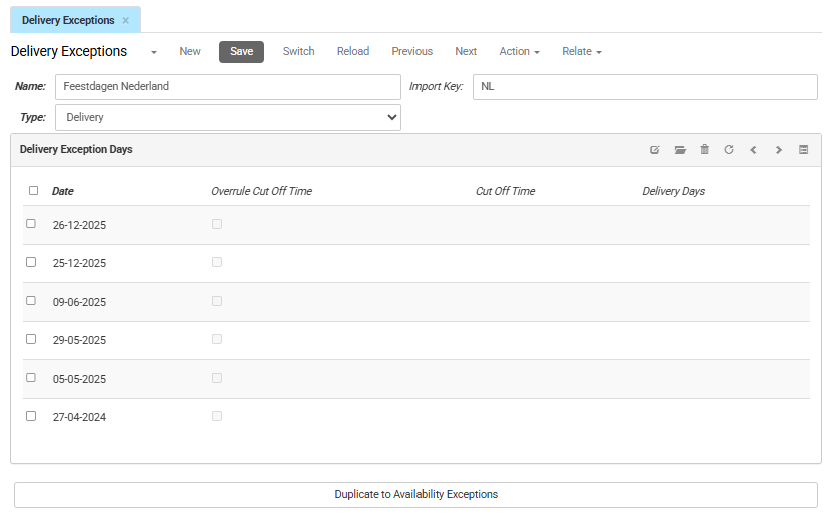
- Name is the internal name of the delivery exception.
- Type sets the kind of exception. For a delivery exception, this is set to Delivery.
- Import key is the unique identifier defined for your imports, used to match, retrieve, or update records.
Delivery Exception Days
This tab shows a list of delivery exception days. To add one, click New.
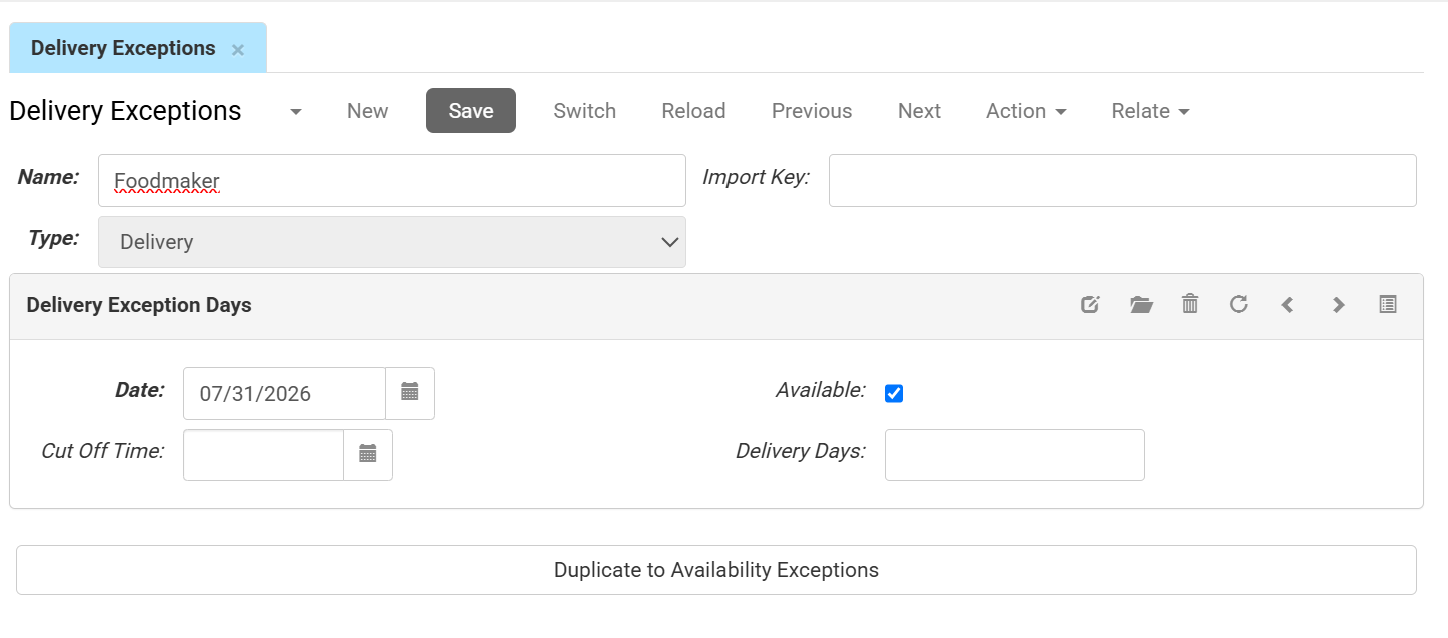
- Date is the calendar date the exception applies to.
- If Available is checked, the date is a working day. If it is not checked, the date is a non-working day and does not count when the system calculates the delivery lead time.
- If you leave Cut Off Time and Delivery Days blank, the date uses the standard cut-off time and lead time.
- If you fill in Cut Off Time and Delivery Days, they override the standard cut-off time and lead time for this date.
- Cut Off Time is the latest time an order can be placed to count toward that day's lead time (for example, 12:00:00). If filled, this overrides the standard cut-off time for that date.
- Delivery Days is the number of lead days needed before the customer can receive the order. If filled, this overrides the standard lead time for that date.
Available but not checked = Blocked
If a date is in this list but Available is not checked, the system treats it as a blocked day. Customers cannot then select this date for delivery in the webshop checkout.
- Duplicate to Availability Exceptions creates a copy of this delivery exception, including its exception days, as an availability exception.