Availability Schedules
Availability schedules define the production or preparation lead time for webshop products. This is the number of working days needed before a product is ready to ship after an order is placed.
In the CloudSuite App, go to Order Management > Configuration > Delivery Schedule Configuration > Availability Schedules. Double-click an availability schedule to edit it, or click New to create one.
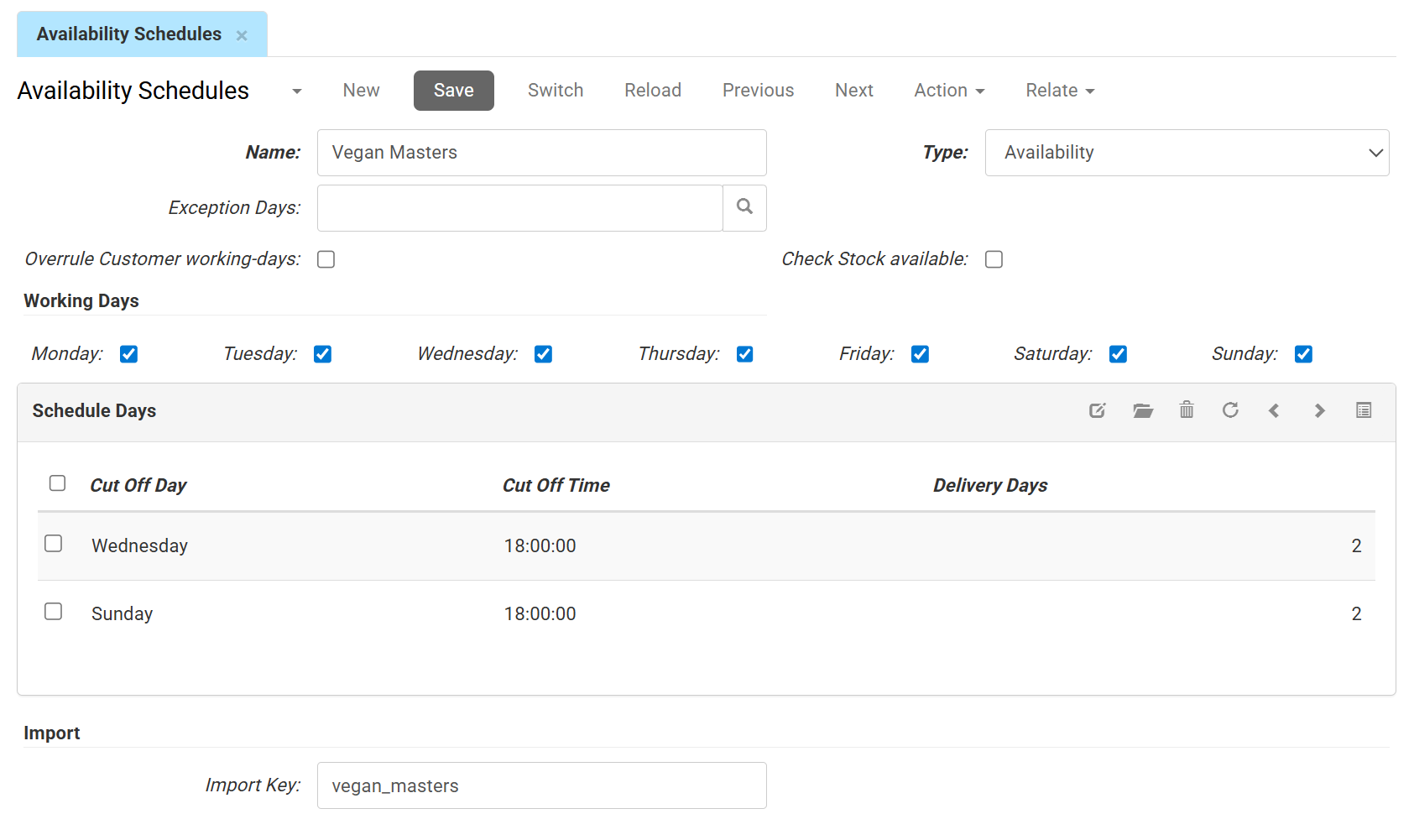
- Name is the internal label for the schedule.
- Type indicates the schedule type. For availability schedules, this is always set to Availability.
- Exception Days: Select an Availability Exception calendar to link to this schedule. Exception days are applied dynamically during availability calculations, for example to account for facility maintenance or custom non-working days.
- Overrule Customer working-days: When checked, this schedule's logic takes priority over any individual blocked days set on a specific customer's profile.
- Check Stock available:
- When unchecked: The lead time calculation is always applied to the product.
- When checked: The system first checks for existing inventory. If the product is physically in stock, this schedule is bypassed entirely, allowing immediate dispatch based solely on the customer's shipping schedule.
Working days
- Select the working days that are counted to calculate the availability date.
Schedule Days
- Cut Off Day is the day on which the order is placed.
- Cut Off Time is the latest time an order can be placed to enter that day's processing cycle.
- Delivery Days the number of days required for production or preparation.
Import
- The Import key is the unique identifier defined for your imports, used to match, retrieve, or update records.