All Reviews
To manage customer reviews for all products in your webshop, navigate in CloudSuite Admin to Reviews > All Reviews. The overview shows all submitted product reviews by your customers.
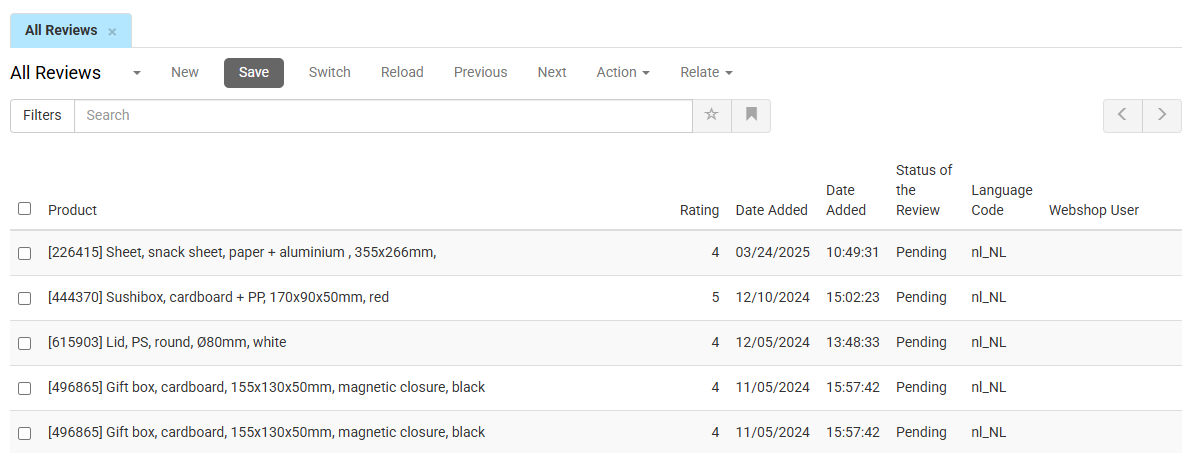
Double-click a review row to edit.
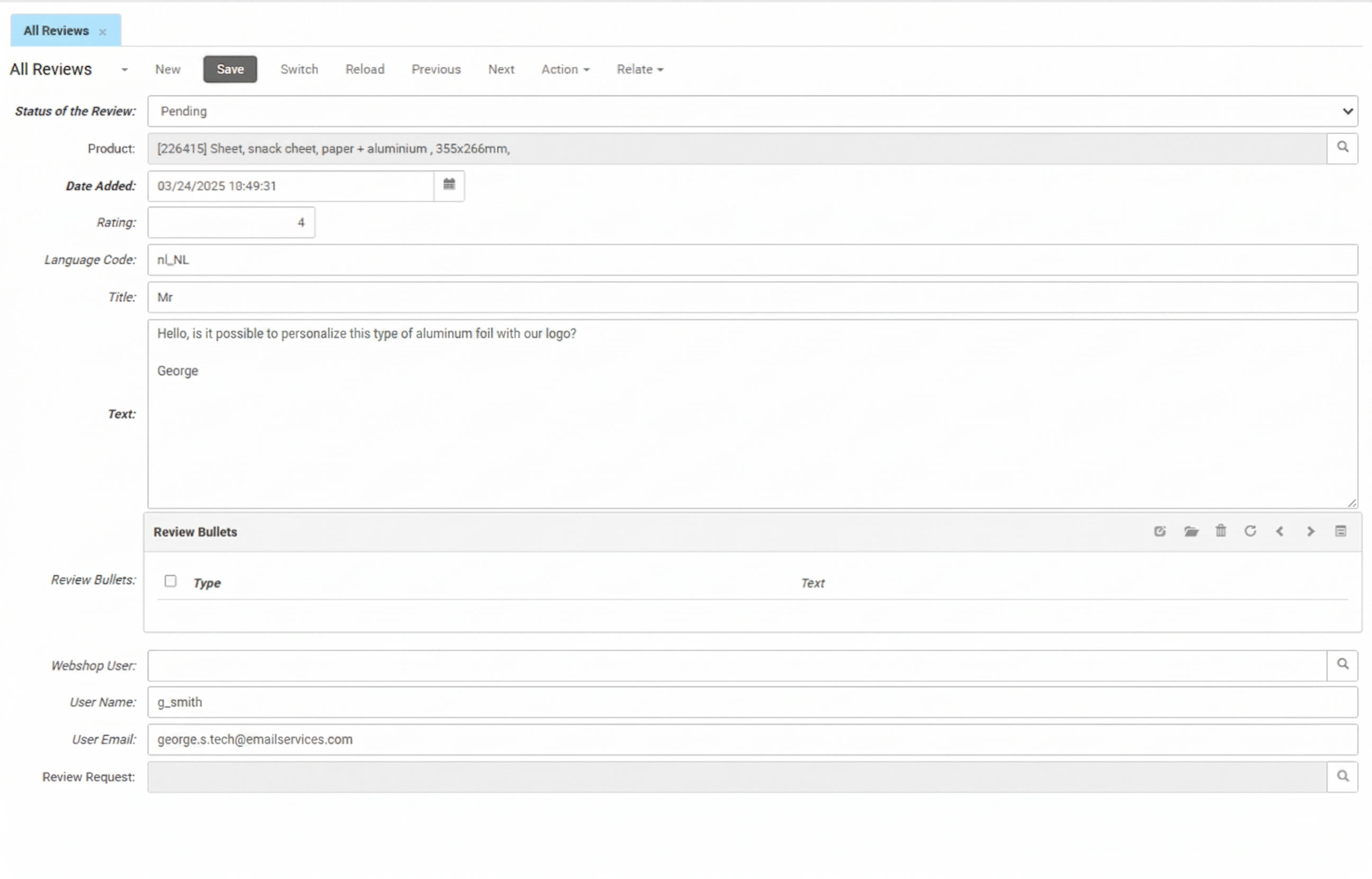
- Status of the Review determines whether the review is visible in your webshop. Use the drop-down menu to set it from Pending to Approved to publish the review, or Rejected to hide it.
- Product shows the product that the review belongs to.
- Date Added shows the date and time when the customer submitted the review.
- Rating shows the numerical score the customer gave when submitting the review.
- Language Code shows the language in which the review is written.
- Title shows the headline that the customer entered.
- Text shows the full review text.
Review Bullets
- Type shows the classification of the bullet (e.g., positive or negative).
- Text shows the specific comment for that bullet point.
Use the toolbar icons to edit or remove bullet points.
User Information
- Webshop User links to the customer profile.
- User Name and User Email show the name and email address entered by the customer when submitting the review.
- Review Request shows whether the customer submitted the review in response to an automated post-purchase email.