Product Categories
To manage product categories, in the CloudSuite App, go to PIM > Categories (tree) > Categories (list). An overview appears, listing all existing categories.
-
Double-click a category to open it or click New to create a new one.
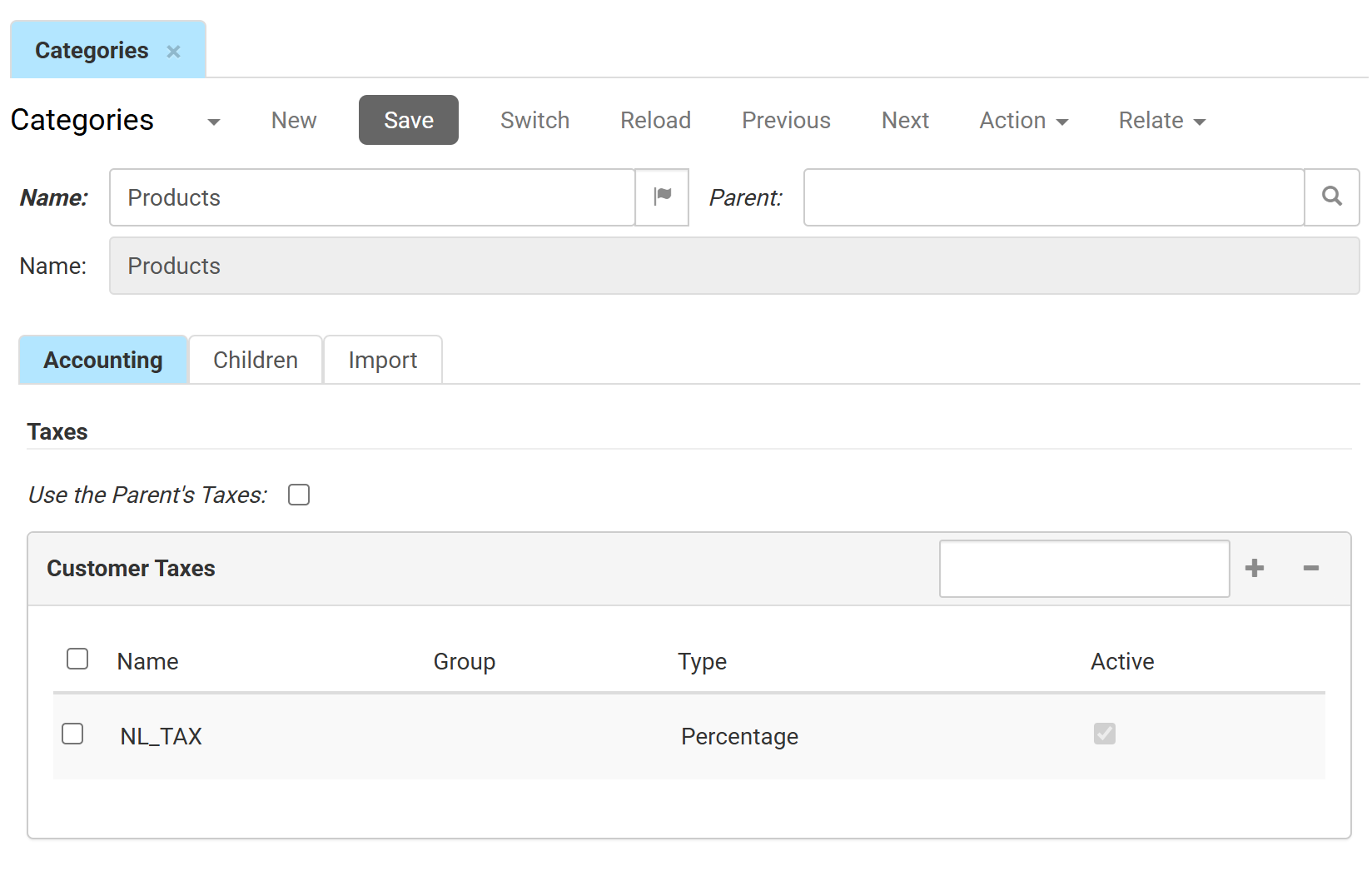
-
Name is the internal label or name used to identify the category. You can click the flag icon to provide translations if necessary.
-
Parent defines the parent category. When a parent is selected, this category becomes a sub-category of that parent. The read-only Name field below it will automatically display the name of the selected parent for quick reference.
Accounting
In this tab, you configure the tax settings that apply to all products assigned to this category.
Configure this tab carefully. The tax rules you set here determine the default tax rates applied to newly assigned products, which affects automated financial processing.
- Use the Parent's Taxes check this box to inherit the tax settings from its parent category automatically.
- Customer Taxes lists the tax rules linked to this category. Click + to add a rule or − to remove one.
- Name: the title of the tax rule.
- Group: the tax group it belongs to.
- Type: how the tax is applied, for example, Percentage
- Active indicates whether the rule is currently enabled
Children
Shows all sub-categories nested directly under this category. Open a sub-category individually to edit it.
Import
This tab shows technical data for categories synchronized from external systems.
- Origin: the identifier for the source (e.g., an ERP) that provided the category data.
- Import Key: the unique identifier the external system uses for this category during synchronisation.