Displaying Post-Calculated Shipping Costs in the Basket
You can display a notification in the basket informing customers that shipping costs will be calculated after checkout, instead of showing a price up front. Use this when your ERP system calculates shipping costs after the order is placed.
A delivery service can apply to your whole shop, or a specific product can overrule it for the entire order. Determine for which orders you want to display this notification before configuring this setting.
If ERP calculates order costs after placing the order, you need only one delivery service for the shop with one delivery service line as described below.
Prerequisites
- At least one delivery service is configured.
- A service product is linked to the delivery service line. This product represents the shipping cost line on the order.
Configure the Notification
-
In the CloudSuite App, go to Order Management > Configuration > Delivery Services.
-
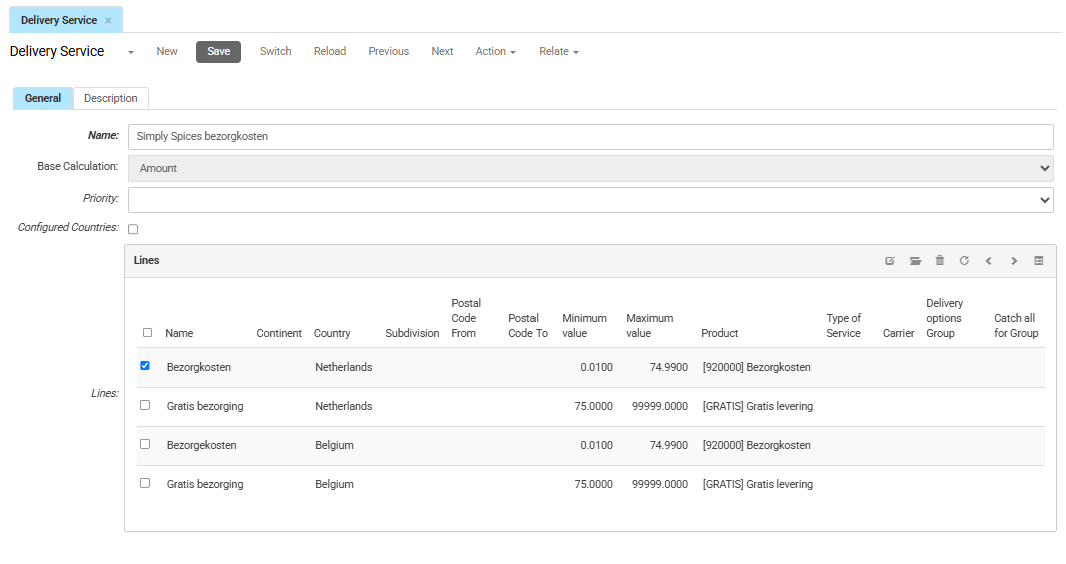
Select and open the delivery service you want to configure.
-
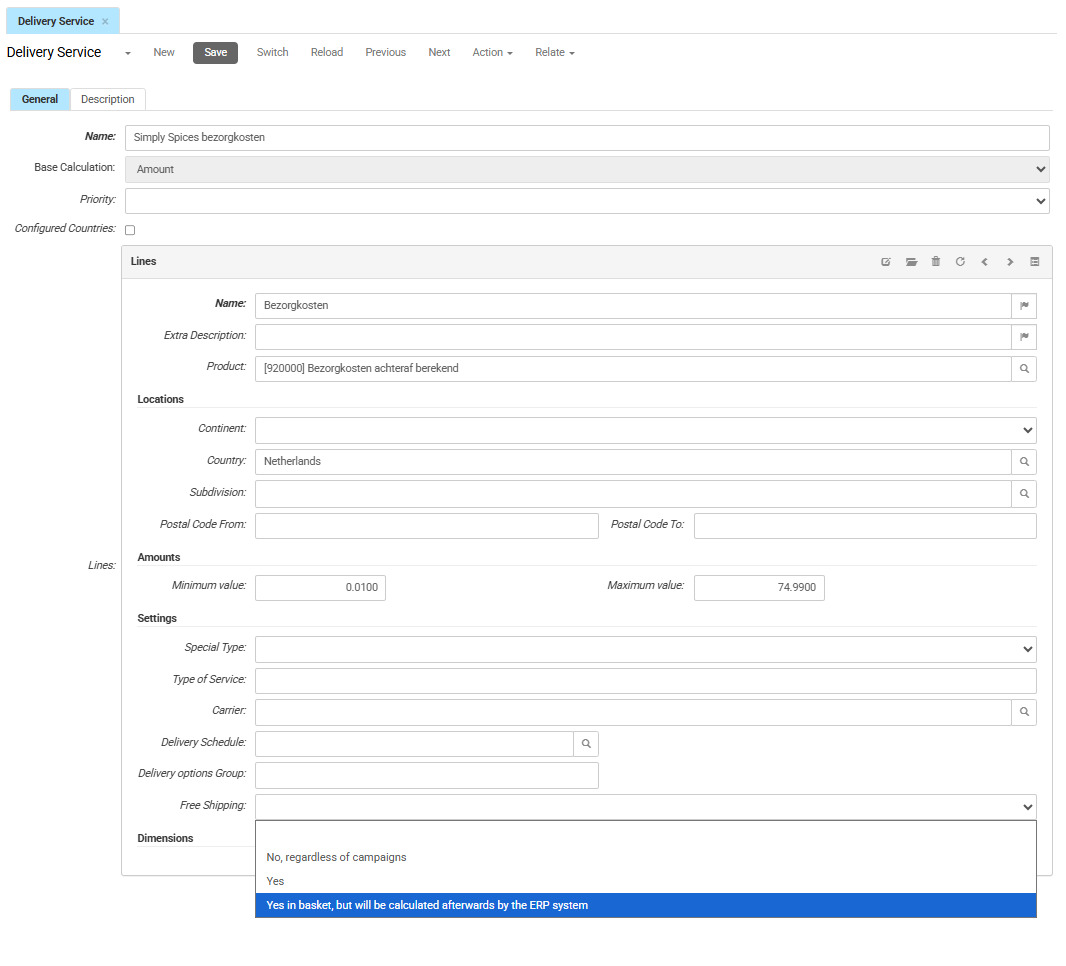
On the General Tab, double-click the delivery service line you want to modify. If no delivery service line exists yet, click New and create one.
-
Enter the required fields to set up the conditions.
-
In the Free Shipping field, select Yes in basket, but will be calculated afterwards by the ERP system.
-
Click Save.
Result
When a customer adds a product associated with this delivery service to the basket, the shopping basket displays a notification stating that shipping costs are calculated after checkout. Because an order uses a single delivery service, this notification applies to the entire order, including any products in the basket that do not trigger the notification.