Delivery Day Calculation
The day on which an order can be delivered is calculated based on delivery and availability schedules, and any exceptions defined on them.
Delivery schedules are linked to shops and customers and can be used to calculate the first and possible delivery dates, based on multiple business rules. Availability schedules are linked to products and are used to extend the delivery schedule of the shop or party with additional rules for products that require an additional process.
Most options to work with delivery schedules are found in the CloudSuite App in the section Order Management > Configuration > Delivery Schedule Configuration. When you have defined the schedules that you need, you can link them to shops, customers, and products.
Shop Delivery Schedules
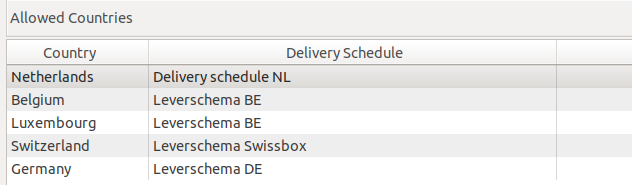
In the shop, a delivery schedule can be configured for each country.
- In the CloudSuite App, go to Stores > Shops and open the shop.
- In the shop details, go to the Order Settings tab and locate the field Grouping the basket
- When this field is set to By Delivery date, delivery schedules are required for each country.
In this situation, you may also check Select the price date. All prices in the webshop will then be calculated from this day. As a consequence, prices in the future can be used.
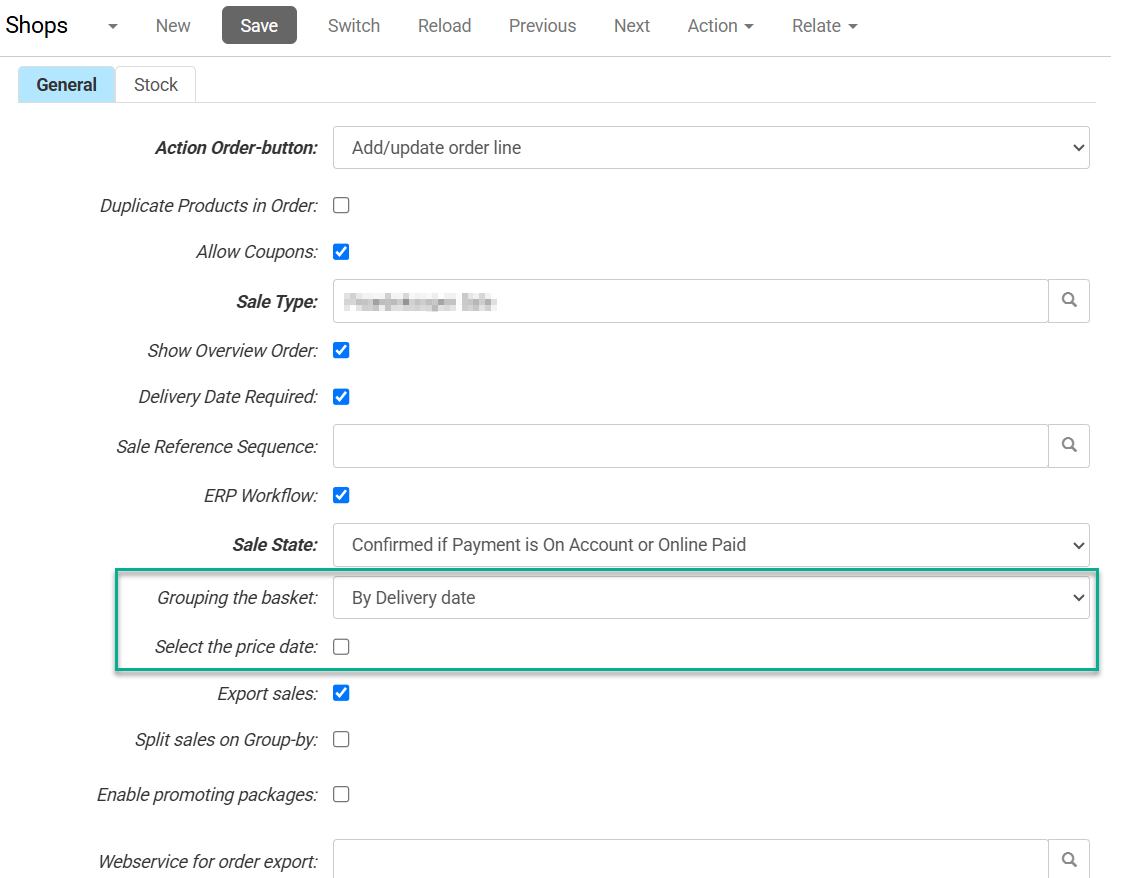
In the basket all prices will always be calculated per delivery date of the basket line; therefore, Grouping the basket should be set to By Delivery date.
Design
Keeping the basket open for a long time can lead to invalid delivery dates, which will not be accepted. An error will occur and the new possible dates will be calculated.
Customer Delivery Schedules
- In the CloudSuite App, go to Customers > Customers and open the party.
- In the customer details, go to the eCommerce tab.
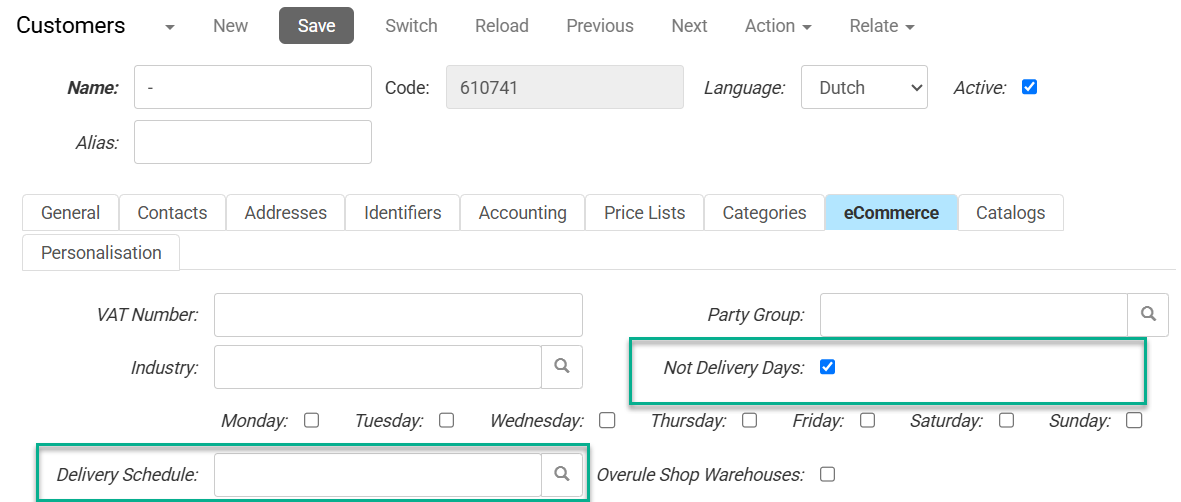
- When Not Delivery Days is checked, then the working days of the customer can be configured. For a date to be a possible delivery day it must be a working day of the company (delivery schedule) as well as the party. In the delivery service lines it can be specified that the delivery days of the party are skipped; for instance, for pickup orders.
- You may also select a Delivery Schedule that takes precedence over that set for the shop.
Stock indications are not available when using delivery schedules.