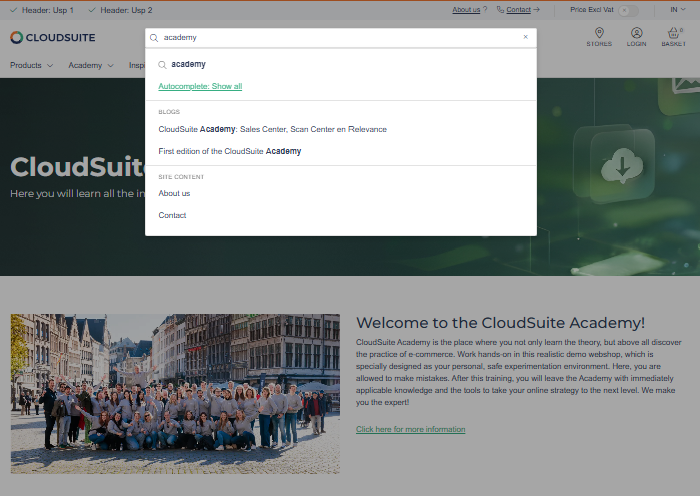
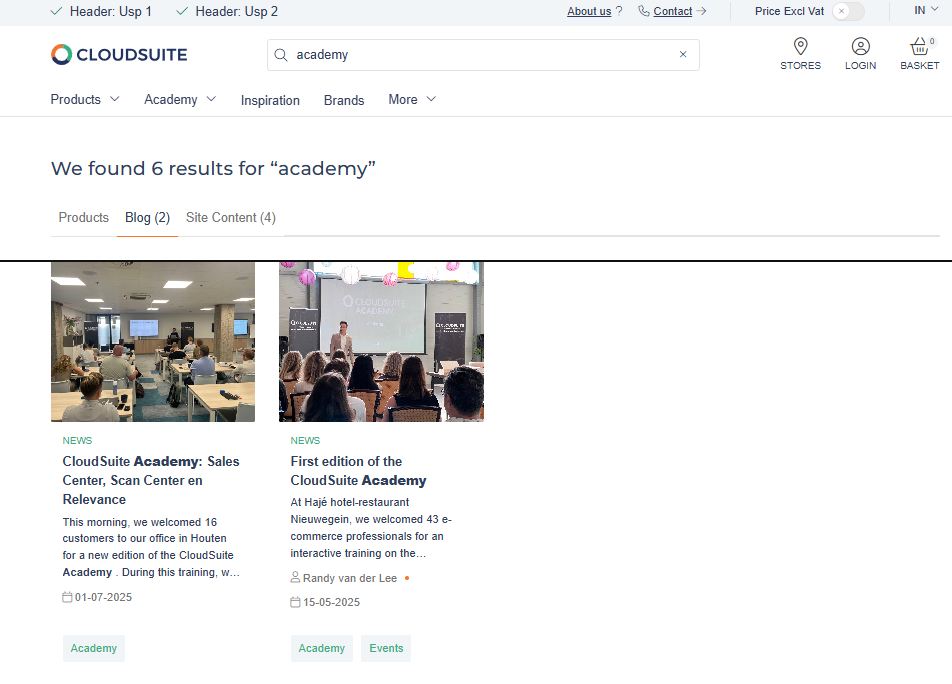
Enable Content Search
Enable Content Search to show relevant blog posts and content pages alongside products in your webshop search. This helps visitors find technical guides, manuals, blog articles, company news, and other useful content from one search
Enable Content Search
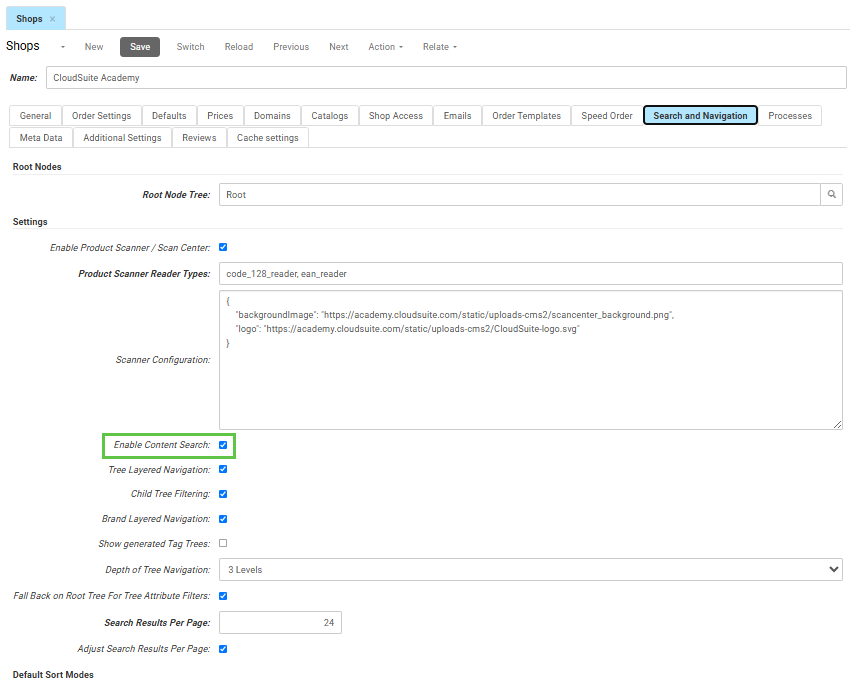
- In the CloudSuite App, go to Stores > Shops
- Open the shop you want to configure.
- Go to the Search and Navigation tab.
- Under Settings, check Enable Content Search.
- Click Save.
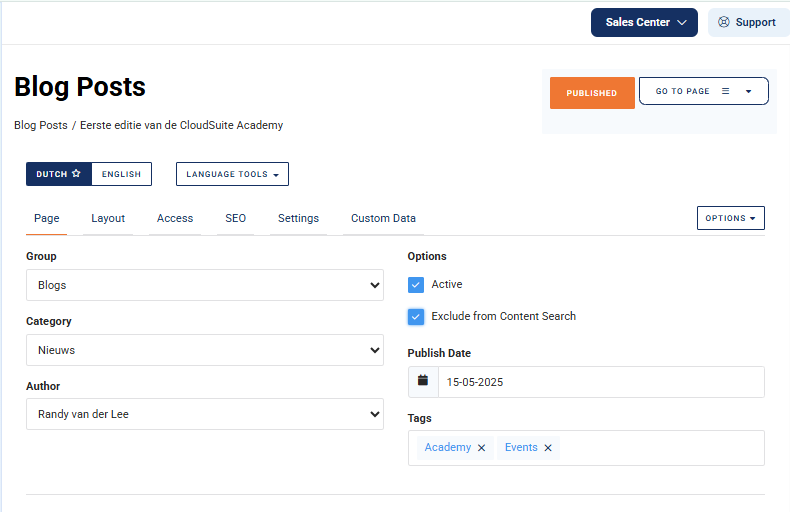
Exclude a page from content search
To hide a specific blog post or content page from the webshop search, enable Exclude from content search on the CMS page in the CloudSuite Admin.
This only removes the page from the webshop search results. It does not prevent external search engines, such as Google, from finding or indexing the page.
Check the search results
Once enabled, visitors will see matching results in both the search suggestions and on the search results page. These results are grouped under separate tabs and headings in both the search suggestions and the search results page.
Search the webshop for a term that occurs in both products and content. Matching content appears:
- In the search suggestions.
- On the search results page.
Products and content are shown under separate headings or tabs.