B2B Functionality in Order Management
My Account contains a number of features especially for B2B eCommerce.
Returns (RMA Module)
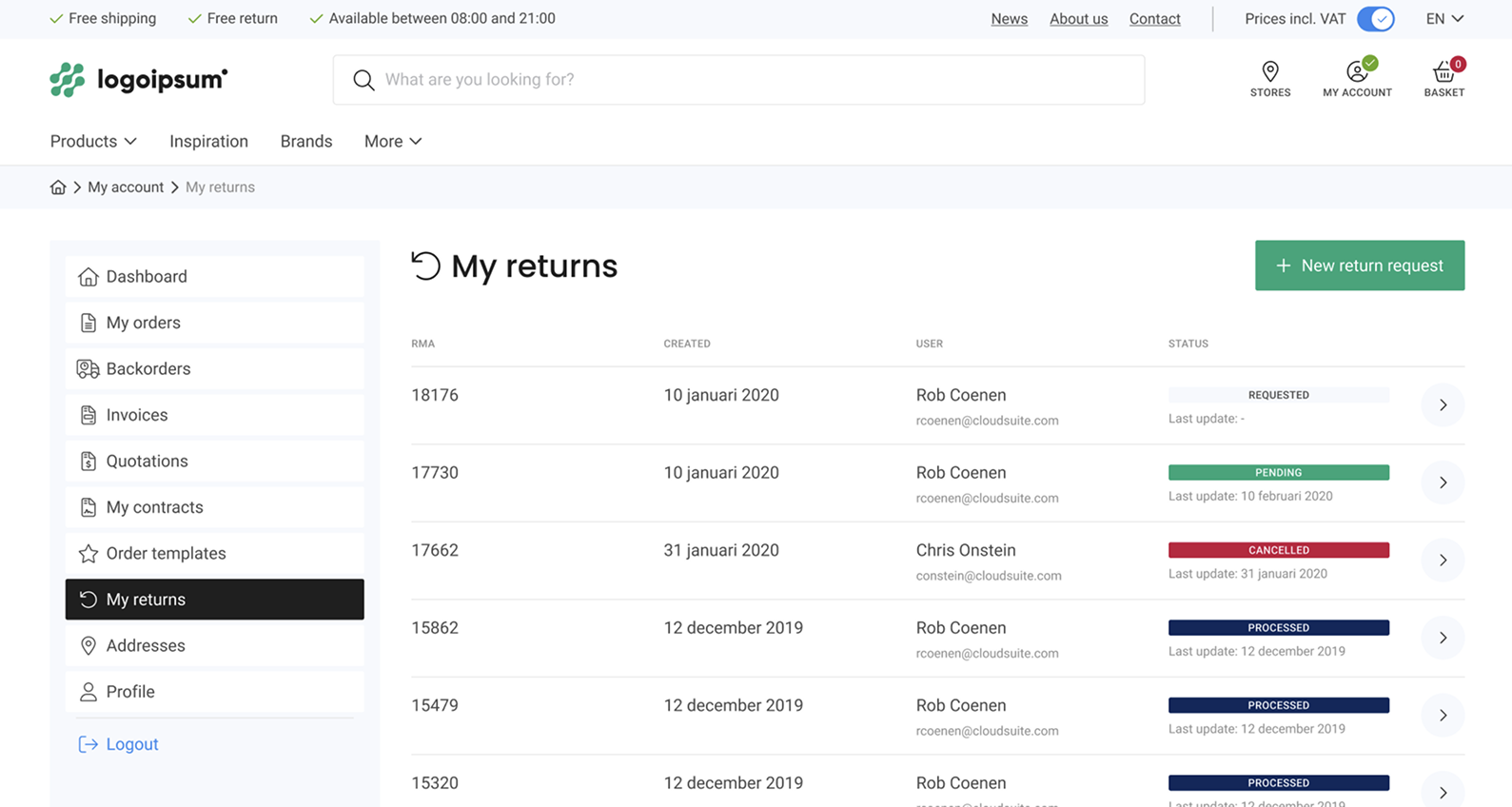
If you use our RMA (Return Merchandise Authorization) module, customers as well as internal users can create and send return requests from the webshop to your ERP system. The review and processing of a return takes place in your ERP system; any updates are communicated back to the webshop and are visible in My Account.
You can set the following parameters at shop level:
- The number of days a product can be returned
- The RMA sequence format
- An ordered list of pre-defined reasons the customer can choose to return an item (broken, the wrong size, etc.)
- Authorization rules for managing RMAs
- Permission to view other users' RMAs
- Which products can be returned (all or only delivered products).
To create a new RMA request, users can search for products, invoices, packing slips, and order numbers to select products. Once a request is created, it is sent to the ERP system for further authorization. Customers receive a confirmation email confirmation with all the details.
You can also allow users to add one or more pictures to their return request after receiving damaged goods.
Order Templates
My Account contains an overview of all your order templates. From here, you can create a new order template or make changes to an existing order template. Order templates also include your most ordered items.
Quotations
If your customers can request a quote (see: Quotations Module) from your webshop, these requests are stored under My Account. Open a quote to see the current status and communication history from start to finish.
Purchase Contracts
If purchase contracts are available for a customer, a My Contracts section will appear under My Account. The overview displays a list of all active contracts and associated products with a link to the product page.
Superuser
Superusers can manage users and related information associated with their organization. The following functionality is available under My Account:
- Create / Edit users
- Create / Edit catalogs
- Create / Edit budgets
- Authenticate users for customers
- Handle supervisors for authorization workflow of orders
- Activate or deactivate users.
Authorizations
My Account provides an overview of all orders that need to be approved by a Supervisor before they can be processed.
An overview of orders that require authorization before they can be placed can be found on the My Account dashboard for review and approval.
SEPA Direct Debit: Digital Mandate Signing via Twikey
If you collect payments via SEPA Direct Debit, CloudSuite supports Twikey to handle mandate signing digitally. Customers can sign their mandate directly from their account in your webshop — at any time, without any manual steps from your team.
From the My Account section, the mandate page checks in real time whether a valid mandate exists. If one is found, the details are displayed. If not, the customer is guided through the signing process via a redirect to Twikey's secure environment and automatically returned to your webshop once done.
- The mandate page shows live mandate status and details.
- Customers without a valid mandate are redirected to Twikey to sign digitally.
- After signing, the customer is returned automatically to your webshop.
- Your ERP syncs the signed mandate from Twikey and enables on-account payment for that customer in CloudSuite.
Note that CloudSuite handles the mandate signing flow only. The ERP integration with Twikey must be set up separately. This feature is configured during implementation — contact your CloudSuite implementation partner to enable it.