Return Merchandise Authorization (RMA) Module
The RMA module lets your customers register their own returns from the webshop. Each return is linked to the original order, so you and your customer can follow it from request to processing. Customers arrange returns themselves in My Account, which gives them a clear view of where each return stands and takes manual work off your service team.
Use case
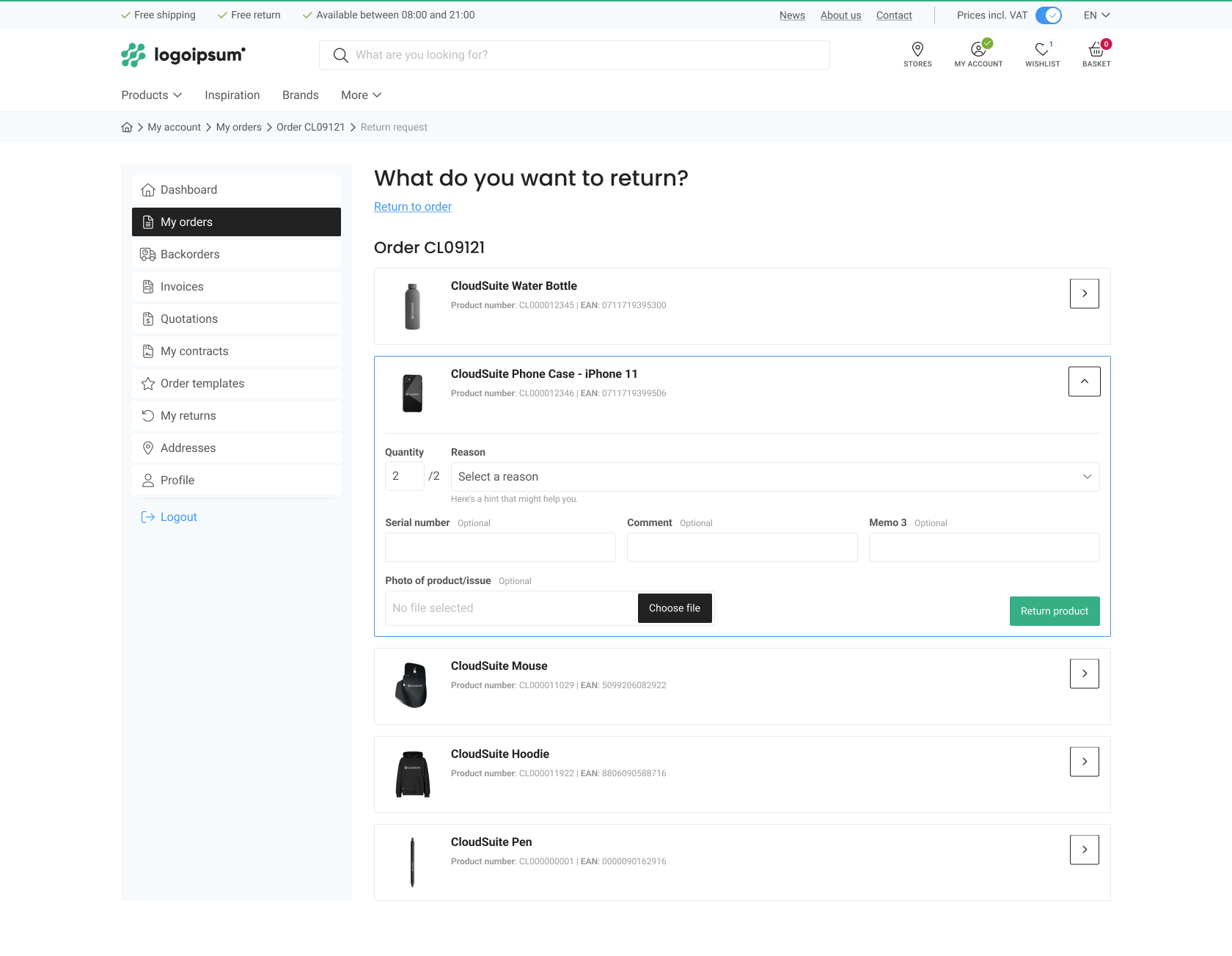
A customer receives a product that is damaged or no longer needed. Instead of calling or emailing your service team, the customer logs in to the webshop, opens the order, and selects the product to return. The customer picks a return reason, adds a photo if the reason needs one, and submits the request. The customer then follows the status of the return under My Account, while the request is sent to your ERP for handling.
How it works
Customers select the products they want to return and choose a reason for each product. Depending on your settings, they can add comments or upload a photo. You can require a photo for specific reasons, such as a damaged product.
The ERP integration sends the request to your ERP for processing. Return authorization and cost calculations take place in the ERP. Status updates are sent back to CloudSuite, so customers can follow their requests in My Account. Customers receive a confirmation email after submitting a request, if an email template has been configured.
You configure the return rules per shop in RMA Configuration. These settings determine which products can be returned, which reasons are available, and which comment fields appear on the form. You can also limit the length of the second comment field to match your ERP requirements.
Key Benefits
- Let customers register returns from their webshop account, linked to the original order.
- Let customers return products from orders placed outside the webshop when those orders are available in CloudSuite through your ERP integration.
- Set a return window per shop, so customers can return products only within the allowed number of days after delivery.
- Choose per shop which return reasons customers can select.
- Limit a return reason to specific products, so the reason appears only for the products it applies to.
- Require a photo for a return reason, so customers add evidence before they submit that line.
- Choose which products customers can return, and exclude specific products from returns.
- Allow returns for any product in the shop, for shops that also act as a service point.
- Let customers add a photo and a short note to each return line.
- Give customers a clear overview of their returns and their status, like the order overview.
- Let customers see the returns of colleagues linked to the same account.
- Let customers search returns by order number, delivery note number, or product number.
- Send returns and their status updates to your ERP through the CloudSuite API.
Considerations
- RMA is an additional module and needs to be activated for you.
- Customers need a webshop account and must log in to request a return. Guest customers must first create an account.
- You decide which webshop user roles can submit return requests and which order status makes an order eligible for a return.
- Processing requests and exchanging status updates require an ERP integration.