Filter Wizard
Use the Filter Wizard to create guided product selection journeys for webshop visitors. A Filter Wizard presents a series of questions and uses the selected answers to filter the available products.
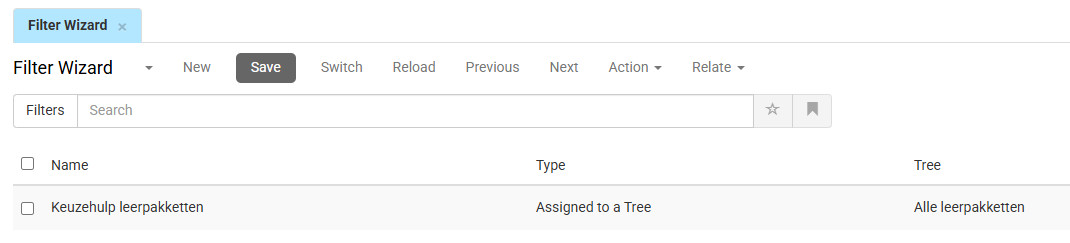
Go to PIM > Marketing > Search and Navigation > Filter Wizard to create and manage Filter Wizards. The overview displays all configured Filter Wizards. Double-click a Filter Wizard to edit or click New to create a new one.
-
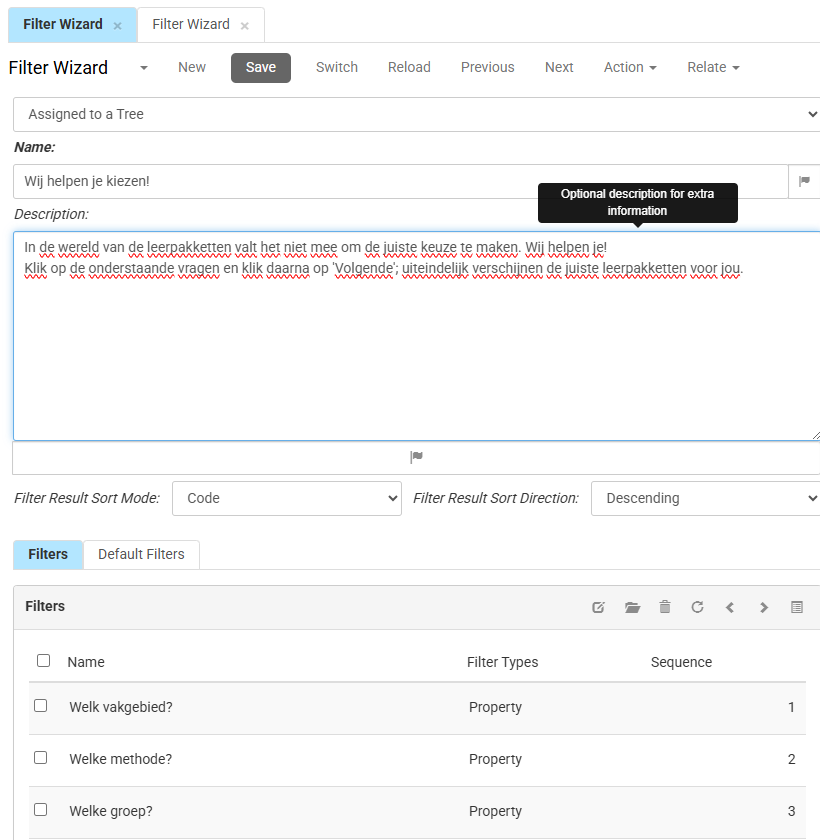
- The drop-down above the Name field is currently fixed to Assigned to a Tree. This links the Filter Wizard to a tree level, which you select in the Tree field on the Default Filters tab.
- The Name of the Filter Wizard is shown to webshop visitors, and can be translated.
- The Description contains the text shown to the webshop visitor before the Filter Wizard starts, and can be translated.
- Filter Result Sort Mode determines how products are sorted after the Filter Wizard has filtered the assortment.
- Code sorts products by product code.
- Name sorts products by product name.
- Price sorts products by price.
- Priority sorts products by the configured product priority.
- Rating sorts products by product rating.
- Filter Result Sort Direction determines whether the filtered products are displayed in ascending or descending order.
Filters
The Filters tab contains the questions shown to webshop visitors. Each row represents a single step in the Filter Wizard. Click the Edit button to create a Filter. Double-click a step to edit or click New to create a new one.
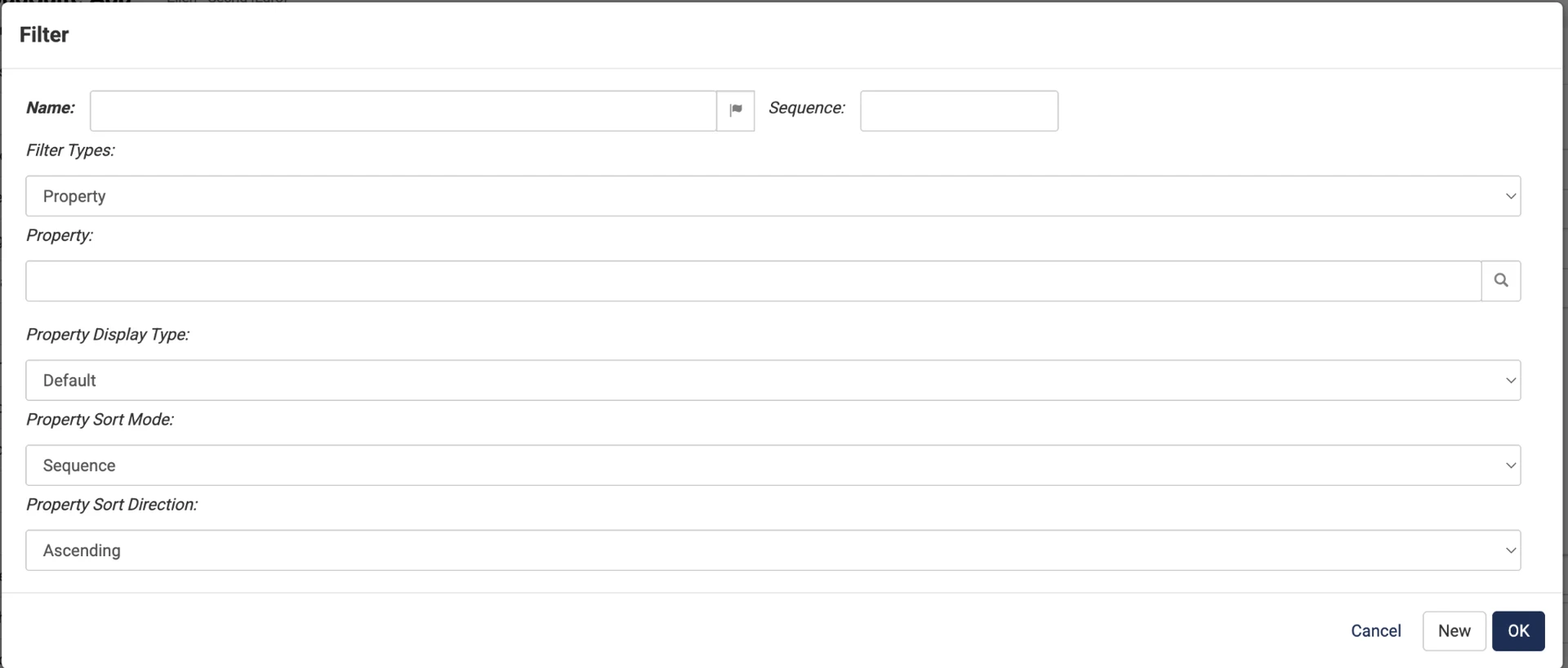
- Name defines the question displayed to the webshop visitor.
- The Sequence sets the order of the question. A lower number places the question earlier in the Filter Wizard.
- Filter Types determines the type of field used for filtering used by the question (default is Property)
- Property (attribute) defines the product property used to filter the assortment.
- Property Display Type determines how the available property values are displayed. Values can be shown as text by default or as images.
- Default: displays the property values as text.
- Image: displays the property values using images.
- Property Sort Mode determines how the available property values are sorted.
- Sequence: uses the configured sequence of the property values
- Num found: sorts the property values based on the number of matching products
- Alphabetically: sorts the property values alphabetically
- Import: uses the order received from the import source when applicable.
- Property Sort Direction determines whether the property values are displayed in ascending or descending order.
Default Filters
The Tree field selects the tree that the Filter Wizard links to. The Filter Wizard then replaces the standard product list when a visitor opens that tree.
